

Your video is great, but clicks stay flat. The culprit? A dull thumbnail that viewers scroll past without a second glance. Eye-catching thumbnails are the gateway to higher engagement, yet many creators struggle with design tools or lack time for complex editing. AI-powered thumbnail generators solve this by offering fast, professional results without requiring graphic design skills. This guide walks you through preparation, creation steps, troubleshooting common mistakes, and measuring results so you can transform your channel's visual appeal and drive more views effortlessly.
Table of Contents
- Key takeaways
- Preparing to create your YouTube thumbnail
- Step-by-step guide to creating YouTube thumbnails using AI
- Avoiding common mistakes and troubleshooting tips
- What to expect: checking results and optimizing thumbnails
- Enhance your thumbnail creation with AI tools
- FAQ
Key Takeaways
| Point | Details |
|---|---|
| Thumbnails boost CTR | Eye catching thumbnails with clear text, compelling imagery, and strong branding drive higher engagement and more views. |
| AI tools save time | AI powered thumbnail generators streamline creation from base image to polished design, cutting time and reducing design skill requirements. |
| Gather essential assets | Collect high resolution video stills, your channel logo in PNG with transparency, and your title or hook text before building the thumbnail. |
| Step by step guide | Follow a structured sequence from uploading the base image to applying AI enhancements to produce a ready to publish thumbnail. |
| Brand consistency matters | Place your logo in the same corner and use signature colors across thumbnails to build instant recognition. |
Preparing to create your YouTube thumbnail
Before diving into creation, understanding what makes thumbnails effective sets the foundation for success. Strong thumbnails combine clear text, compelling imagery, and consistent branding. Text should communicate your video's value proposition in three to five words maximum. Images need high contrast and emotional resonance to stand out. Your logo or color scheme reinforces brand recognition across uploads.
Choosing the right AI thumbnail generator depends on your workflow and budget. Free tools like Canva offer basic templates and limited customization. Paid platforms provide advanced features such as background removal, facial expression optimization, and A/B testing integrations. Recommended software and online platforms tailored for creating engaging thumbnails vary in complexity, so match your choice to your technical comfort level and production volume.
Gather necessary assets before starting. You'll need high-resolution video stills or stock images, your channel logo in PNG format with transparent background, and your video title or hook text. Thumbnail dimensions are 1280x720 pixels with a 16:9 aspect ratio and file size under 2MB. Save finals as JPG or PNG for best quality and compatibility.
Pro Tip: Screenshot your video at the most visually striking moment rather than relying on YouTube's auto-generated options. This gives you a custom starting point that already connects to your content.
Comparing free versus paid AI generators helps clarify which suits your needs:
| Feature | Free tools | Paid tools |
|---|---|---|
| Template variety | 50-100 basic designs | 500+ premium templates |
| Customization depth | Limited fonts and colors | Full control over every element |
| AI enhancements | Basic filters only | Smart background removal, facial optimization |
| Export quality | Standard resolution | High resolution with batch export |
| Support | Community forums | Priority customer service |
Understanding these differences ensures you invest time learning a platform that matches your creative ambitions and publishing schedule. For creators uploading multiple videos weekly, paid tools with batch features save hours. Occasional uploaders find free options sufficient for maintaining consistent quality without ongoing costs. Explore how to create YouTube thumbnails with AI for detailed platform comparisons.
Step-by-step guide to creating YouTube thumbnails using AI
Creating your thumbnail becomes straightforward once you follow this structured approach. Each step builds on the previous one, transforming raw assets into a polished design that captures attention.
-
Upload your base image to the AI platform. Select the video still or stock photo that best represents your content's core message. Ensure the image has good lighting and a clear focal point before proceeding.
-
Choose a template that matches your video's tone. Gaming content benefits from bold, energetic layouts. Educational videos work better with clean, organized designs. Browse categories until you find a structure that complements your message rather than competing with it.
-
Customize text elements with your video title or hook. Keep font size large enough to read on mobile devices, typically 60pt or higher. Limit text to five words maximum. Use high-contrast colors like white text on dark backgrounds or black text on bright backgrounds.
-
Incorporate brand elements consistently. Place your logo in the same corner across all thumbnails. Use your channel's signature colors in borders or text highlights. This repetition builds instant recognition when viewers browse their feeds.
-
Apply AI enhancements to make your design pop. Most platforms offer one-click improvements like sharpening, color correction, or background blur. Test these features to see which combinations make your subject stand out without looking over-processed.
-
Adjust layout and composition for visual balance. Follow the rule of thirds by placing your main subject off-center. Leave breathing room around text so it doesn't feel cramped. Ensure no critical elements sit too close to edges where they might get cropped on certain devices.
-
Export your thumbnail in the correct format and resolution. Save as JPG for smaller file sizes or PNG if you need transparency. Double-check dimensions are exactly 1280x720 pixels. Preview how it looks at small sizes since most viewers will see it thumbnail-sized first.
Pro Tip: Create three variations of each thumbnail during the design process. This gives you options for A/B testing later and helps identify which style resonates most with your audience.
"The difference between a good thumbnail and a great one often comes down to a single detail: making sure your main subject's eyes are visible and looking toward the camera. This creates an instant human connection that algorithms and viewers both respond to positively."
Following step-by-step thumbnail creation processes eliminates guesswork and produces consistent results. The key is developing a repeatable workflow that maintains quality while staying efficient enough to keep up with your upload schedule.
Avoiding common mistakes and troubleshooting tips
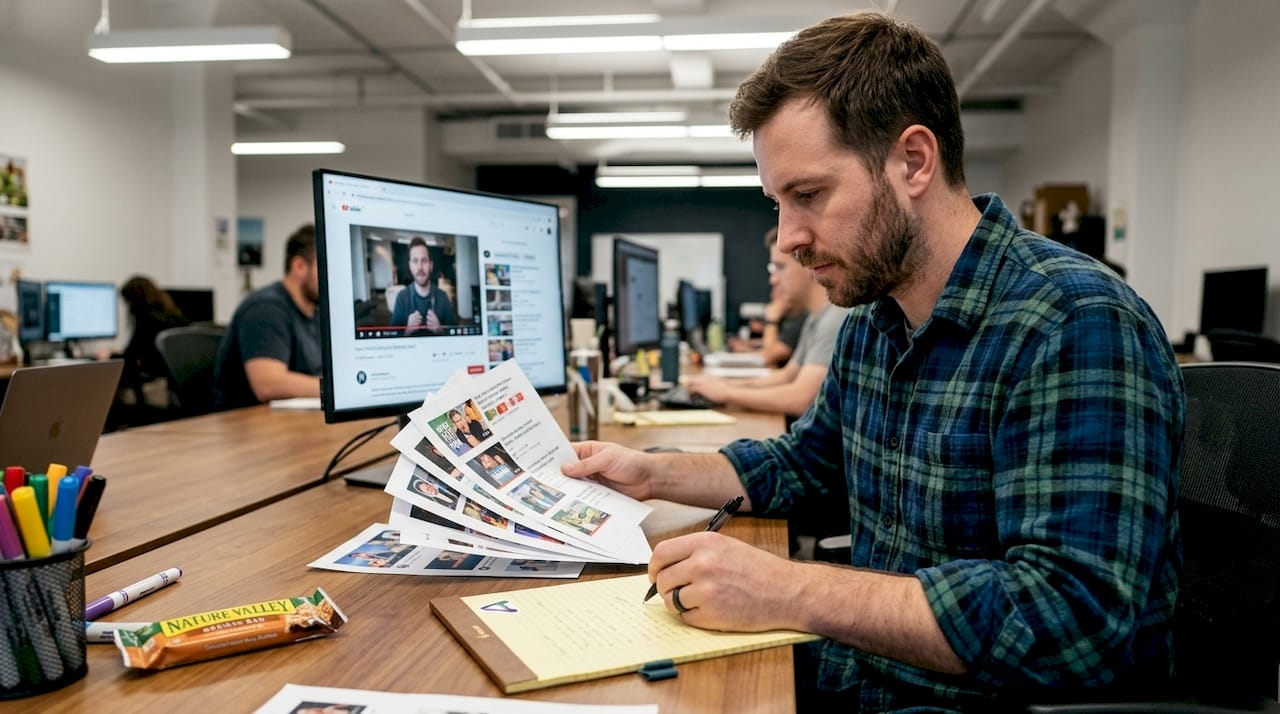
Even with AI assistance, certain errors sabotage thumbnail performance. Recognizing these pitfalls before publishing saves you from disappointing engagement metrics and wasted effort.
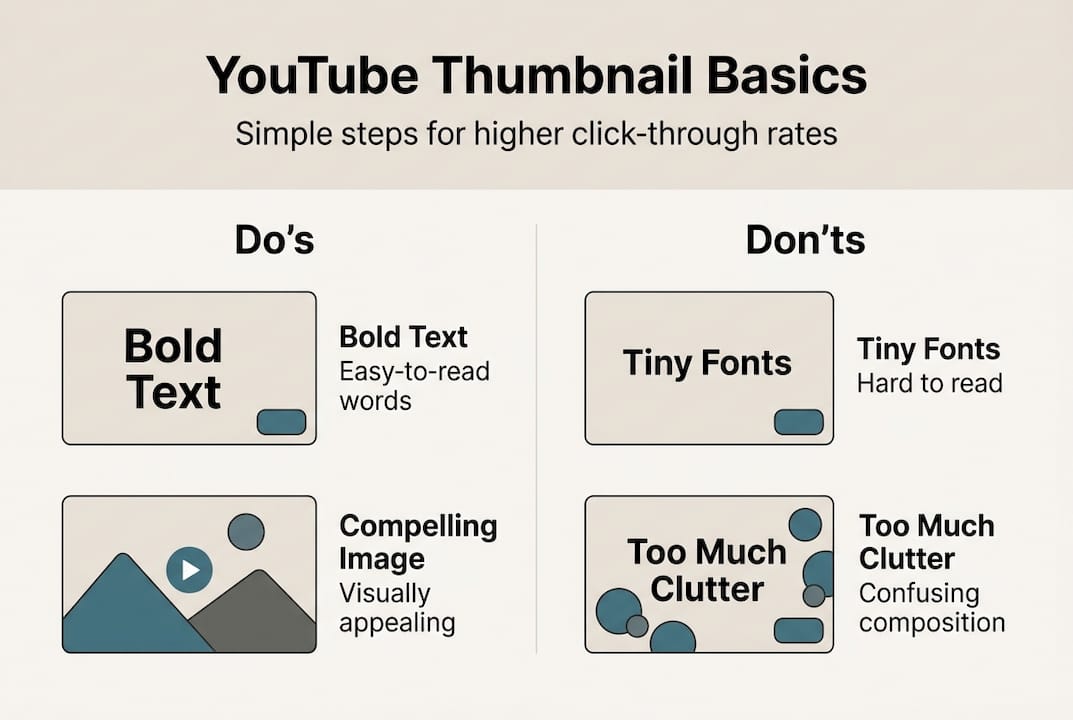
Cluttered thumbnails confuse viewers instead of attracting them. Trying to show too many elements dilutes your message. Stick to one clear focal point, whether that's a face, product, or text statement. Remove background distractions that don't support your core idea. White space is your friend, not wasted real estate.
Small fonts become invisible on mobile devices where most YouTube browsing happens. Text smaller than 60pt disappears when thumbnails shrink to phone screen size. Test your design by viewing it at 10% size on your computer. If you can't read the text easily at that scale, neither can mobile users scrolling through their feeds.
Misleading images damage trust and violate platform policies. Your thumbnail must accurately represent video content. Using shock value or false promises might generate initial clicks but leads to high bounce rates. YouTube's algorithm penalizes videos where viewers click away quickly, ultimately hurting your reach more than honest thumbnails would.
Balancing text and visuals requires intentional composition. Text should complement imagery, not cover it entirely. Place text in areas with minimal visual interest in your background image. Use semi-transparent boxes behind text only when absolutely necessary for readability. The goal is seamless integration where both elements enhance each other.
Pro Tip: Export your thumbnail and upload it as a private video first. Check how it appears in search results, suggested videos, and on mobile before making your actual video public. This preview catches issues while you can still fix them easily.
Comparing effective versus ineffective thumbnail traits clarifies what works:
| Effective thumbnails | Ineffective thumbnails |
|---|---|
| One clear focal point | Multiple competing elements |
| High contrast colors | Muddy or similar tones |
| Readable text at small sizes | Tiny or decorative fonts |
| Honest representation | Clickbait or misleading imagery |
| Consistent branding | Random style each video |
Troubleshooting AI-generated thumbnail issues often involves adjusting input quality. Pixelation occurs when you upload low-resolution source images. Always start with images at least 1280x720 pixels. Poor layouts happen when the AI misidentifies your subject. Manually crop your image to highlight the focal point before uploading. Color issues stem from incorrect file formats. Convert images to RGB color mode rather than CMYK before processing.
Learning from best practices and common pitfalls YouTubers face when designing thumbnails accelerates your improvement curve. Study successful channels in your niche to identify patterns in their thumbnail strategies. Notice what grabs your attention as a viewer, then reverse engineer those techniques into your own designs. For comprehensive guidance, explore YouTube thumbnail tips that cover both technical execution and strategic thinking.
What to expect: checking results and optimizing thumbnails
Creating the thumbnail is only half the battle. Measuring its performance tells you whether your design choices actually drive the engagement you're seeking. YouTube provides robust analytics to evaluate thumbnail effectiveness.
Click-through rate serves as your primary success metric. This percentage shows how many people clicked your video after seeing the thumbnail. Average CTR varies by niche, but anything above 4% indicates strong performance. Below 2% signals your thumbnail needs improvement. Access this data in YouTube Studio under Analytics, then the Reach tab.
Watch time metrics reveal whether your thumbnail attracted the right audience. High CTR paired with low average view duration means your thumbnail promised something your content didn't deliver. This mismatch hurts your video's promotion in recommendations. Aim for alignment where engaged viewers who click also watch most of your video.
A/B testing thumbnails provides definitive answers about what works. Upload your video with one thumbnail, then change it after 48 hours to a different version. Compare CTR between the two periods, accounting for typical traffic patterns on your channel. Some creators test three to four variations before settling on a winner. This data-driven approach removes guesswork from design decisions.
Audience feedback offers qualitative insights analytics can't capture. Read comments asking what made viewers click. Poll your community about thumbnail preferences. Create a members-only post showing two options and asking which they'd click. This direct input helps you understand the psychology behind your specific audience's preferences.
Iterative updates maintain strong performance over time. Trends in thumbnail styles evolve as platforms and audience expectations shift. Review your top-performing videos quarterly and identify common thumbnail elements. Apply those successful patterns to new uploads while testing small variations to stay ahead of staleness.
Pro Tip: Create a swipe file of your best-performing thumbnails. Note the CTR, topic, and design elements for each. This reference library speeds up future creation by showing you what already works for your audience.
Measuring thumbnail success through click-through rates and viewer engagement requires consistent monitoring and willingness to adapt. Set a calendar reminder to review analytics monthly. Track these key metrics:
| Metric | Target range | Action if below target |
|---|---|---|
| Click-through rate | 4-8% | Test bolder text or more emotional imagery |
| Average view duration | 50%+ of video length | Ensure thumbnail accurately represents content |
| Traffic from browse features | 30%+ of total views | Improve thumbnail visibility in crowded feeds |
| Subscriber conversion | 5-10% of new viewers | Add branding elements for recognition |
Optimizing based on data means making incremental changes rather than complete overhauls. If a thumbnail underperforms, identify the specific weak element. Is text unreadable? Does the image lack emotion? Is branding absent? Fix that one issue and retest. This methodical approach builds your understanding of what drives results for your unique audience. Discover more strategies at YouTube thumbnail performance tips to refine your optimization process.
Enhance your thumbnail creation with AI tools
You've learned the framework for creating thumbnails that capture attention and drive clicks. Putting these strategies into practice becomes effortless when you leverage purpose-built AI tools designed specifically for YouTube creators. Our platform eliminates the technical barriers between your vision and professional results.
Access both free and paid AI thumbnail generators that simplify every step of the design process. Generate multiple variations in seconds, test different styles instantly, and export publication-ready files without wrestling with complicated software. Our interface guides you through optimization automatically, ensuring your thumbnails meet platform requirements while standing out in crowded feeds.
Explore the best AI thumbnail generator 2026 options to find the perfect fit for your workflow. Whether you're uploading daily or weekly, our tools scale with your ambitions. Dive deeper into expert strategies with our comprehensive YouTube thumbnail tips that cover everything from color psychology to mobile optimization. Follow our detailed AI thumbnail creation guide for advanced techniques that separate good thumbnails from viral ones. Transform your channel's visual presence today and watch your engagement metrics climb.
FAQ
How do I choose the best AI tool for creating YouTube thumbnails?
Consider ease of use, template variety, customization options, and pricing plans when evaluating platforms. Try free versions before committing to paid tools to ensure the interface matches your workflow preferences. Look for features like batch export if you upload frequently, or advanced AI enhancements if you want maximum creative control. Read reviews from creators in your niche to see which tools they recommend. Compare options at best AI thumbnail generator 2026 for detailed feature breakdowns.
What are the key elements that make a thumbnail effective?
Clear, readable text and engaging imagery are crucial for capturing attention in crowded feeds. Strong color contrast helps thumbnails stand out in searches and recommended video sections. Include a human face when possible, as viewers naturally connect with emotional expressions. Maintain consistent branding across uploads so your audience recognizes your content instantly. Discover more strategies at YouTube thumbnail tips to refine your approach.
How can I ensure my thumbnails look good on mobile devices?
Use large fonts sized 60pt or higher and simple designs to maintain clarity on small screens. Avoid cluttering your thumbnail with multiple text blocks or competing visual elements. Test thumbnails on various devices before publishing by viewing them at reduced sizes on your computer. Place critical information in the center where it won't get cropped by different aspect ratios. Learn more techniques to optimize thumbnails for mobile viewing experiences.
Can AI-generated thumbnails accurately reflect my video content?
AI tools offer extensive customization to ensure thumbnails align perfectly with video content and messaging. Always review and adjust generated thumbnails to avoid clickbait or misleading representations that damage viewer trust. Use your actual video stills as base images rather than generic stock photos for authentic representation. Add text that directly quotes your video title or main talking point. Follow best practices in our AI thumbnail creation guide to maintain content integrity while maximizing visual appeal.