

Many YouTube creators believe user-friendly thumbnail tools sacrifice quality for convenience, assuming professional results require advanced design skills or expensive software. This misconception keeps talented creators from leveraging powerful AI-driven solutions that deliver broadcast-quality thumbnails in seconds. Modern thumbnail tools combine intuitive interfaces with sophisticated AI capabilities, enabling anyone to produce eye-catching visuals without graphic design experience. You'll discover how these tools work, their measurable impact on viewer engagement, and practical strategies to implement them effectively. Whether you're launching your first channel or scaling an established presence, understanding user-friendly thumbnail tools can transform your click-through rates and audience growth in 2026.
Table of Contents
- What Are User-Friendly Thumbnail Tools?
- How AI Enhances User-Friendly Thumbnail Tools
- The Importance Of Branding, Templates, And Testing In Thumbnail Design
- Choosing And Using User-Friendly Thumbnail Tools Effectively
- Improve Your YouTube Thumbnails Easily With Our AI Tools
- Frequently Asked Questions
Key takeaways
| Point | Details |
|---|---|
| AI simplicity meets power | User-friendly tools combine drag-and-drop interfaces with advanced AI features for professional thumbnails without design expertise. |
| Proven engagement boost | AI-generated thumbnails can increase YouTube click-through rates by up to 38% through data-driven design optimization. |
| Branding consistency wins | Templates with consistent fonts, colors, and layouts improve brand recall by 80% and strengthen viewer recognition. |
| Testing drives results | A/B testing thumbnails reveals which designs resonate best, eliminating guesswork and maximizing performance. |
| Creator control matters | The best tools balance automation with customization, letting you refine AI suggestions to match your unique style. |
What are user-friendly thumbnail tools?
User-friendly thumbnail tools simplify the creation process through intuitive interfaces that eliminate technical barriers. These platforms prioritize accessibility, allowing creators to produce professional thumbnails regardless of their design background or software expertise. User-friendly thumbnail tools often employ drag-and-drop interfaces, pre-designed templates, and easy-to-use text and image editing features that streamline workflow. The core philosophy centers on removing friction between creative vision and final output.
These tools share several defining characteristics that separate them from traditional design software. Common features include:
- Drag-and-drop functionality for images, text, and graphic elements
- Pre-designed template libraries organized by content category and style
- One-click background removal and image enhancement
- Real-time preview showing how thumbnails appear across devices
- Built-in font libraries optimized for readability at small sizes
AI automation represents the transformative element in modern thumbnail tools. AI-powered tools can reduce thumbnail creation time by up to 80% compared to traditional design software, freeing creators to focus on content strategy rather than technical execution. Machine learning algorithms analyze successful thumbnails across your niche, suggesting layouts, color schemes, and text placements that align with proven engagement patterns. This automation doesn't replace creativity but amplifies it by handling repetitive technical tasks.
The beauty of truly user-friendly tools lies in their scalability across skill levels. Beginners appreciate guided workflows that prevent common design mistakes, while experienced creators value advanced features like layer management and custom asset libraries. This dual nature makes these platforms versatile solutions for solo creators and production teams alike. You're not locked into a single approach but can adjust complexity as your skills and needs evolve.
Pro Tip: Choose tools that allow you to save custom templates, creating a personal library of proven designs you can quickly adapt for new videos while maintaining brand consistency.
The accessibility revolution in thumbnail creation democratizes visual marketing for YouTube. You no longer need a graphic design degree or expensive software subscriptions to compete visually with established channels. Understanding what makes these tools genuinely user-friendly helps you evaluate options and select platforms that match your workflow. For comprehensive guidance on the creation process, explore strategies for creating YouTube thumbnails that convert viewers into subscribers.
How AI enhances user-friendly thumbnail tools
Artificial intelligence transforms thumbnail creation from a manual design process into an intelligent collaboration between creator vision and machine learning capabilities. AI thumbnail tools automate background removal, object recognition, and suggested layouts, dramatically accelerating design workflows while maintaining professional quality standards. These systems analyze millions of successful thumbnails to identify patterns in composition, color psychology, and visual hierarchy that drive engagement.
Modern AI thumbnail generators offer several powerful features that elevate output quality:
- Automated screenshot extraction from video content, identifying visually compelling frames
- Facial detection and enhancement, ensuring subjects appear clear and engaging
- Intelligent color scheme generation based on video content and brand guidelines
- Text placement optimization that balances readability with visual impact
- Style transfer capabilities that apply consistent aesthetic treatments across thumbnails
The automation extends beyond basic editing to include strategic design decisions. AI systems evaluate thumbnail performance data across YouTube, learning which visual elements correlate with higher click-through rates in specific content categories. When you input your video topic, the AI suggests compositions that historically perform well for similar content. This data-driven approach removes guesswork, replacing subjective design choices with evidence-based recommendations.

Contextual input capabilities represent a significant advancement in AI thumbnail tools. Rather than generating random designs, modern platforms let you guide AI output through descriptive prompts about mood, target audience, and content style. Contextual input like mood, style, and audience leads to more relevant and engaging thumbnails that align with your channel's unique voice. You might specify "energetic gaming thumbnail with neon accents" or "professional business tutorial with minimalist design," and the AI interprets these parameters to generate appropriate options.
The performance impact of AI-generated thumbnails is substantial and measurable. Studies show AI-generated thumbnails can increase click-through rates by 10-38%, tailored to audience preferences through continuous learning algorithms. These improvements translate directly to increased views, longer watch times, and accelerated channel growth. The AI doesn't just create attractive thumbnails but optimizes them for the specific psychological triggers that compel your target audience to click.
AI tools remove friction and provide a strong starting point for thumbnails, letting creators focus on refinement rather than starting from blank canvases.
The synergy between AI automation and human creativity produces superior results compared to either approach alone. You maintain creative control while leveraging computational power to handle technical complexity and data analysis. This partnership model represents the future of content creation tools, where technology amplifies human capabilities rather than replacing them. Discover more about leading platforms in our guide to the best AI thumbnail generators available in 2026.
The importance of branding, templates, and testing in thumbnail design
Consistent visual branding transforms individual thumbnails into recognizable touchpoints that build channel identity and viewer loyalty. When your thumbnails maintain cohesive design elements across videos, audiences instantly recognize your content in crowded recommendation feeds and search results. Consistent branding in thumbnails increases brand recall by 80%, creating a cumulative recognition effect that compounds with each new upload. This consistency doesn't mean identical designs but rather a unified aesthetic language that signals your channel's personality.
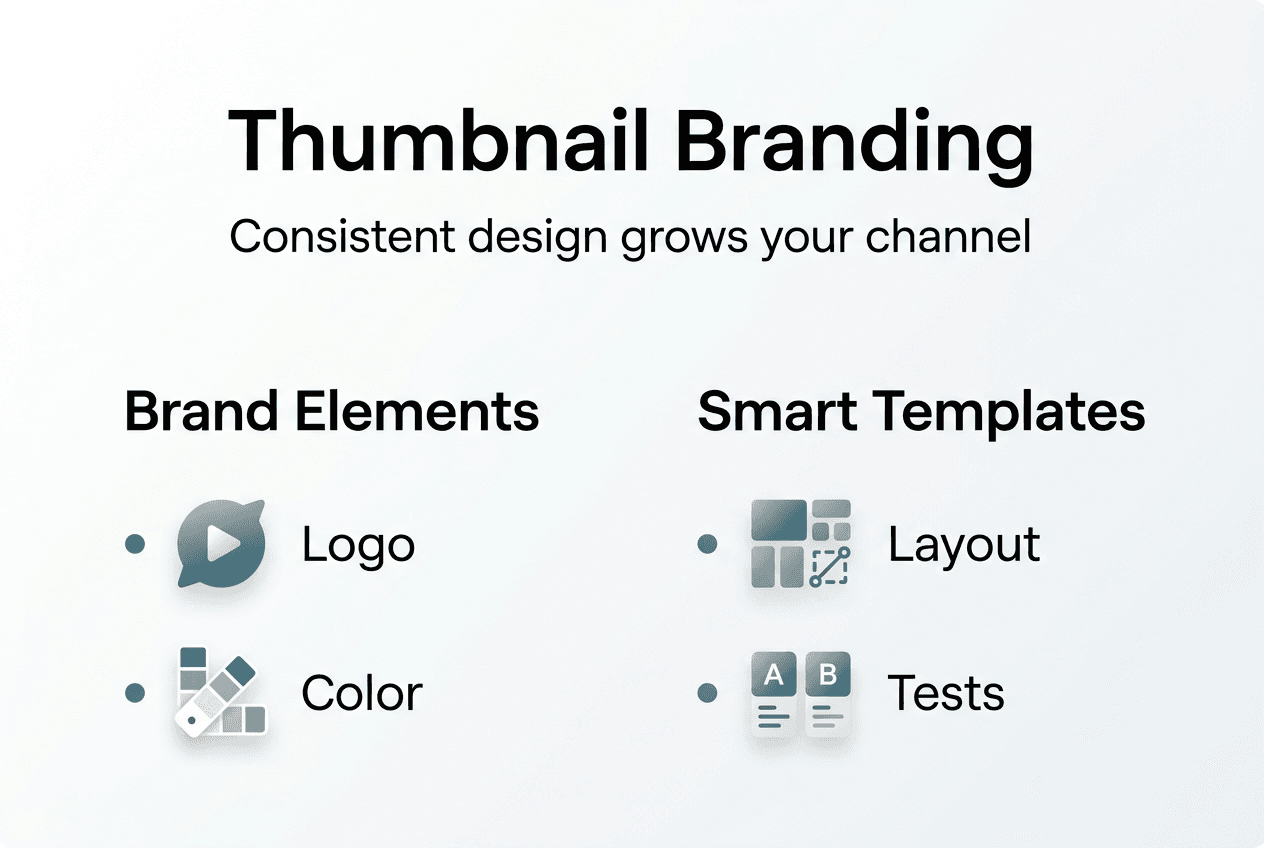
Template strategies vary based on content type and channel goals, each offering distinct branding advantages:
| Template Style | Primary Benefit | Best For |
|---|---|---|
| Consistent layout with variable imagery | Strong brand recognition | Educational channels, series content |
| Color-coded by content category | Easy content navigation | Multi-topic channels, playlists |
| Signature graphic element placement | Instant visual identity | Entertainment, vlogging channels |
| Minimalist with bold typography | Professional credibility | Business, tutorial content |
The psychological impact of visual consistency extends beyond mere recognition. Viewers develop expectations about content quality based on thumbnail presentation, and meeting those expectations through consistent design builds trust. Your thumbnail becomes a promise about the viewing experience, and delivering on that promise through both visual and content quality creates loyal audiences who actively seek your uploads.
A/B testing eliminates guesswork by providing empirical data about which thumbnail designs drive the most engagement. A/B testing of thumbnails reveals which designs resonate best, leading to higher clicks and improved algorithmic performance. The testing process involves creating multiple thumbnail variations for the same video, then measuring which version generates superior click-through rates over a defined period. YouTube's algorithm rewards higher engagement, so optimized thumbnails create a virtuous cycle of increased visibility and growth.
Implementing effective A/B testing follows a systematic approach:
- Create two to three thumbnail variations testing a single variable (color, text, imagery)
- Deploy variations to equal audience segments using testing tools
- Collect performance data over 24 to 48 hours for statistical significance
- Analyze click-through rates, impressions, and viewer retention metrics
- Apply winning elements to future thumbnail designs
Pro Tip: Save your highest-performing thumbnail templates as reusable assets, creating a proven design system that streamlines production while maintaining the branding consistency that drives recognition.
The combination of consistent branding and rigorous testing creates a feedback loop that continuously improves thumbnail performance. You're not guessing what works but building an evidence-based design system informed by actual viewer behavior. This scientific approach to creative decisions separates growing channels from stagnant ones, turning thumbnail creation from an artistic gamble into a strategic advantage. Learn more implementation strategies through our comprehensive YouTube thumbnail tips that cover both creative and analytical approaches to optimization.
Choosing and using user-friendly thumbnail tools effectively
Selecting the right thumbnail tool requires evaluating capabilities against your specific workflow needs and content production volume. Not all platforms offer identical features, and understanding which capabilities matter most for your channel prevents costly trial-and-error experimentation. The ideal tool balances automation with customization, providing AI assistance while preserving your creative control over final output.
Key criteria for evaluating user-friendly AI thumbnail tools include:
- Template library size and relevance to your content niche
- AI customization depth through prompt-based editing and iterative refinement
- Export quality and format options for various platform requirements
- Integration capabilities with analytics and video management platforms
- Pricing structure relative to your production volume and budget
- Learning curve and available tutorials or support resources
The most sophisticated tools enable ongoing refinement rather than one-and-done generation. The best AI thumbnail tools enable prompt-based edits and iterative refinement, combining speed with customization that respects your unique creative vision. You might generate an initial design through AI, then adjust colors, reposition elements, or swap images while the system maintains compositional balance. This collaborative approach produces better results than purely automated or fully manual methods.
Integrating thumbnail creation with performance analytics transforms design from isolated tasks into strategic channel optimization. The workflow connects creation, deployment, testing, and refinement into a continuous improvement cycle. Combining specialized thumbnail creation tools with analytics platforms improves channel results by closing the feedback loop between design decisions and audience response. You're not creating thumbnails in a vacuum but responding to concrete performance data.
A systematic integration process maximizes tool effectiveness:
- Generate multiple thumbnail variations using AI-powered creation tools
- Deploy top candidates through A/B testing features or manual rotation
- Monitor click-through rates and impression data through YouTube Analytics
- Identify winning design elements and patterns across successful thumbnails
- Update template library and design guidelines based on performance insights
- Apply learned principles to future content while continuing to test innovations
Pro Tip: Prioritize tools that support both full automation for rapid production and granular manual controls for high-stakes videos, giving you flexibility to match effort with content importance.
The tool selection process isn't one-size-fits-all but depends on your channel's maturity, content type, and production resources. A solo creator launching their first channel has different needs than an established production team managing multiple channels. Start with tools offering generous free tiers or trial periods, allowing hands-on evaluation before committing to paid subscriptions. Test how well each platform's AI understands your content niche and whether generated designs align with your aesthetic preferences.
Remember that tools are enablers, not replacements for strategic thinking. The most powerful thumbnail generator won't compensate for unclear messaging or misaligned audience targeting. Use these platforms to execute your creative vision more efficiently, not to abdicate creative responsibility. Compare leading options in our detailed analysis of the best AI thumbnail generators to find platforms matching your specific requirements. Supplement tool selection with proven design principles from our YouTube thumbnail tips that enhance both manual and AI-assisted creation workflows.
Improve your YouTube thumbnails easily with our AI tools
You've learned how user-friendly thumbnail tools combine AI power with intuitive design, but knowledge only creates results when applied. Our platform at Thumb.nail Generator delivers the exact capabilities discussed throughout this guide, specifically built for YouTube creators seeking professional thumbnails without design complexity. The Google Gemini AI powering our system generates eye-catching thumbnails in seconds, transforming your video concepts into click-worthy visuals that drive measurable engagement improvements.
The platform removes technical barriers while maintaining the creative control serious creators demand. Generate multiple variations instantly, test different approaches, and refine designs until they perfectly represent your content and brand. Our interface requires zero graphic design experience but scales to accommodate advanced users seeking granular customization. Explore our curated selection of the best AI thumbnail generator options and discover why thousands of creators trust our tools for their channels. Complement your tool usage with expert strategies from our YouTube thumbnail tips and comprehensive tutorials on creating YouTube thumbnails that convert impressions into views and subscribers into loyal audiences.
Frequently asked questions
What features make a thumbnail tool user-friendly?
User-friendly thumbnail tools prioritize intuitive drag-and-drop interfaces, extensive template libraries, and AI automation that handles complex design tasks automatically. The best platforms require no graphic design experience while offering advanced customization options for experienced users. Look for tools with real-time previews, one-click enhancements, and the ability to save custom templates for consistent branding across your channel.
How do AI thumbnail tools improve click-through rates?
AI thumbnail tools analyze millions of successful thumbnails to identify proven design patterns, color schemes, and compositional elements that drive engagement. Studies demonstrate AI-generated thumbnails can boost click-through rates by 10 to 38% through data-driven optimization tailored to your content niche. The AI eliminates guesswork by applying evidence-based design principles that resonate with your target audience's psychological triggers.
Can I maintain brand consistency using these tools?
Absolutely, and user-friendly tools actually make consistency easier than manual design approaches. Save your preferred fonts, color palettes, and layout templates within the platform, then apply them across all future thumbnails with single clicks. Research shows consistent branding increases viewer recognition by 80%, making template-based workflows essential for building channel identity. The key is creating a core design system, then varying content within that framework.
Is A/B testing important and do tools support it?
A/B testing is critical for optimizing thumbnail performance because it replaces subjective opinions with objective performance data. Many advanced thumbnail platforms include built-in testing features that rotate variations and track engagement metrics automatically. Even without integrated testing, you can manually test thumbnails by updating them after initial publication and comparing click-through rates. The insights gained from testing compound over time, continuously improving your design effectiveness.
What should I look for when choosing a thumbnail tool?
Prioritize platforms offering both AI automation and manual editing control, ensuring you can quickly generate designs while retaining creative oversight. Evaluate template relevance to your content niche, export quality options, and integration with analytics platforms for performance tracking. Consider pricing relative to your production volume, and test multiple tools during free trial periods to assess which interface feels most intuitive for your workflow. The right tool balances speed, quality, and customization in proportions matching your specific needs. For detailed implementation guidance, review our comprehensive resource on creating YouTube thumbnails that covers both tool selection and design strategy.