

You've spent hours filming and editing your latest video, but when it comes time to create a thumbnail, you're stuck. Should you use an AI tool or design it manually? Many YouTube creators assume thumbnail automation means surrendering creative control or producing generic images that won't stand out. The reality is far different. Thumbnail automation uses AI to generate, optimize, and test thumbnails that can dramatically increase your click-through rates while saving you significant time. This article reveals what thumbnail automation actually does, the proven performance gains it delivers, and how to implement it effectively to grow your channel.
Table of Contents
- Key takeaways
- Understanding thumbnail automation: what it is and how it works
- Why thumbnail automation matters: proven benefits and benchmarks
- Expert insights and common pitfalls in thumbnail automation
- How to implement thumbnail automation effectively for your YouTube channel
- Explore the best tools and tips for YouTube thumbnail automation
- Frequently asked questions
Key Takeaways
| Point | Details |
|---|---|
| Time savings | Automation reduces thumbnail creation time from hours to seconds, saving up to 90 percent of production time. |
| CTR boost | AI optimized thumbnails boost click-through rates by 20 to 40 percent compared with manual designs. |
| Hybrid workflow | Hybrid workflows that combine AI and human edits deliver the best performance. |
| Mobile optimization | Proper image size and mobile optimization are critical for ensuring thumbnails perform well on smartphones. |
Understanding thumbnail automation: what it is and how it works
Thumbnail automation refers to AI systems that generate, optimize, and test YouTube thumbnails automatically to boost engagement. These tools analyze your video content, metadata, and trending visual patterns to create thumbnails designed for maximum click-through performance. Instead of manually designing each thumbnail in Photoshop or Canva, you input your video details and receive multiple optimized options within seconds.
The core mechanics involve several intelligent features working together. Template-based design systems pull from libraries of proven thumbnail layouts that match your content category. Auto-optimization algorithms adjust contrast, color saturation, and text placement based on what performs best in your niche. One-click editing interfaces let you swap backgrounds, adjust facial expressions, or modify text without technical design skills.
AI systems optimize several critical elements simultaneously:
- Contrast and color balance to make thumbnails pop in crowded feeds
- Text readability ensuring titles remain clear on small mobile screens
- Composition and focal points directing viewer attention to key elements
- Mobile display optimization accounting for how thumbnails appear on smartphones
Popular platforms like ThumbnailCreator offer batch generation where you create multiple variants for A/B testing. Thumio specializes in face-focused thumbnails with emotion detection to maximize human connection. YGen provides industry-specific templates optimized for gaming, education, or lifestyle content. Each tool approaches automation differently, but all share the goal of reducing your workload while improving performance.
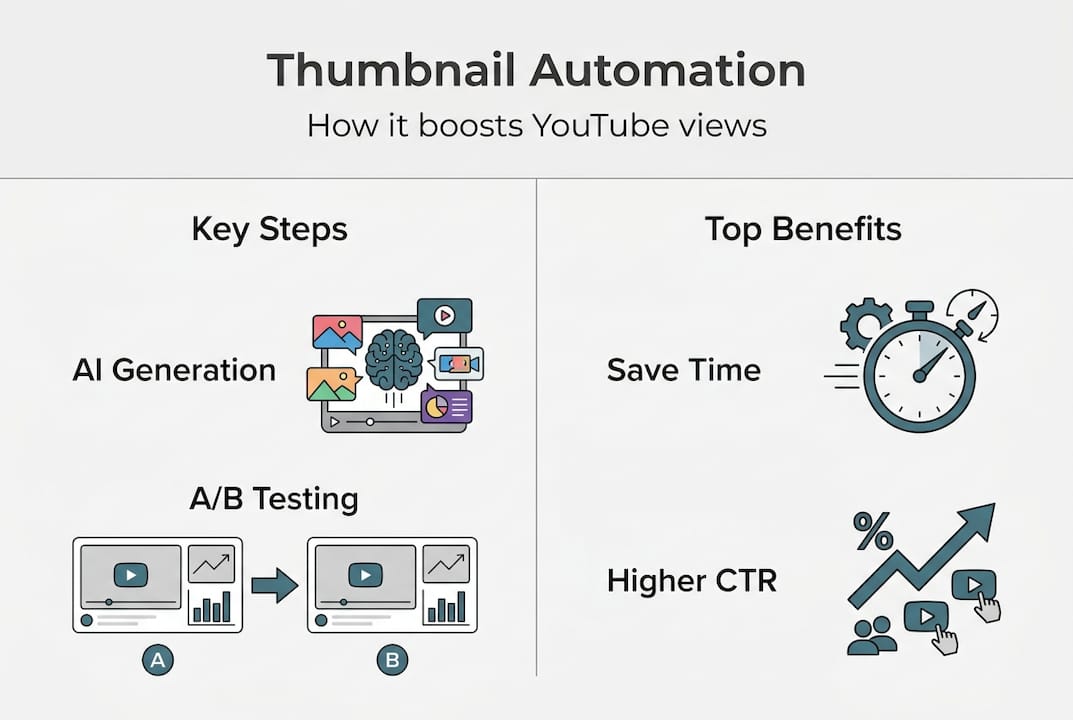
The time savings alone justify exploring these tools. Manual thumbnail creation typically consumes 30 to 60 minutes per video when you factor in concept development, design execution, and revision cycles. Automation compresses this to seconds. You simply upload your video frame or describe your concept, select a template style, and generate multiple options instantly. This efficiency becomes transformative when you publish multiple videos weekly or manage several channels simultaneously.
For creators just starting with how to create YouTube thumbnails, automation removes the technical barrier entirely. You don't need to master color theory, typography, or composition principles. The AI handles these complexities while you focus on content creation and audience engagement.
Why thumbnail automation matters: proven benefits and benchmarks
The performance data behind thumbnail automation reveals why leading creators have adopted these workflows. Typical YouTube thumbnails achieve click-through rates between 4% and 10% depending on niche and audience size. AI-optimized thumbnails boost these rates by 20-40%, with properly executed A/B tests showing average lifts of 37%. That translates directly to more views, longer watch time, and faster channel growth.
Specific optimization variables produce measurable improvements. Face-focused thumbnails featuring clear human expressions increase CTR by 38% compared to object-only images. This works because viewers instinctively connect with human emotion and curiosity. Background color adjustments yield 18% to 25% CTR improvements when you test warm tones against cool tones or high-contrast combinations. Even small tweaks like adjusting facial angle or eye direction can shift performance by 12% to 15%.

CTR Benchmark: Channels using AI thumbnail optimization see average click-through rates improve from 5.2% to 8.7% within 90 days of implementation, representing a 67% performance gain.
However, pure AI generation without human oversight typically underperforms. Studies comparing fully automated thumbnails against human-optimized versions show AI-only approaches achieving 3.2% CTR while human-refined versions reach 8.7%. The gap exists because AI can produce awkward text placement, miss cultural context, or generate compositions that feel generic. This data reinforces why hybrid workflows deliver superior results.
YouTube Shorts present a unique opportunity for thumbnail optimization. Custom Shorts thumbnails can increase home feed and search CTR by up to 140% compared to auto-generated frame captures. Since Shorts compete in fast-scrolling environments, thumbnails must grab attention within milliseconds. Automation tools trained on Shorts-specific data optimize for vertical formats and rapid visual impact.
A/B testing remains essential for maximizing these benefits. YouTube doesn't natively support thumbnail testing, so creators use third-party platforms or manual rotation schedules. Testing reveals which specific elements drive performance in your unique audience. You might discover your viewers respond better to bold text overlays while another creator's audience prefers minimal text with strong imagery. These insights compound over time as you build a library of proven thumbnail archetypes.
Implementing systematic testing with automation tools helps you identify winning patterns faster. Instead of guessing which thumbnail might perform better, you generate five variants, test them across similar videos, and let the data guide your decisions. This scientific approach to YouTube thumbnail tips removes subjectivity and accelerates optimization.
Expert insights and common pitfalls in thumbnail automation
Experienced creators emphasize that hybrid workflows combining AI automation with human refinement achieve the best results. Start by generating AI base thumbnails that handle composition, color balance, and layout. Then manually refine text overlays, adjust facial expressions, or swap background elements to align with your brand voice. This approach captures automation's speed while preserving creative control over final output.
Technical specifications matter more than many creators realize. YouTube recommends 1280x720 pixel resolution with a 16:9 aspect ratio for all thumbnails. File size should stay under 2MB to ensure fast loading across all devices and connection speeds. Images that exceed these limits may display poorly or fail to upload entirely. Maintaining these standards becomes automatic when you use properly configured AI tools, but always verify output before publishing.
YouTube's algorithm can override your custom thumbnail if it detects poor performance. When a video receives significantly lower CTR than your channel average, YouTube may replace your thumbnail with an auto-generated frame capture. This typically happens when thumbnails mislead viewers, use clickbait tactics that damage watch time, or simply fail to resonate with your audience. Regular monitoring of CTR metrics helps you catch and fix underperforming thumbnails before YouTube intervenes.
Faceless channels face unique thumbnail challenges that automation addresses effectively. Without human faces to create emotional connection, these channels rely on rule-based AI adjustments to visual elements like color psychology, text hierarchy, and symbolic imagery. Testing shows faceless channels benefit more from systematic color and composition optimization than from pure AI generation. Establishing clear thumbnail templates that viewers associate with your brand becomes critical for building recognition.
Pro Tip: Test high-impact variables like background color and facial expressions first before optimizing smaller details. A background color change from blue to orange might boost CTR by 22%, while adjusting text shadow only improves it by 3%. Focus your testing energy where it creates the biggest performance gains.
Common pitfalls include over-relying on AI text generation, which often produces garbled or awkwardly positioned words. Always review and manually adjust text overlays for clarity and impact. Another mistake is ignoring mobile optimization. Since 70% of YouTube watch time occurs on mobile devices, thumbnails must remain clear and compelling on small screens. Elements that look perfect on desktop may become illegible on smartphones.
Brand consistency matters even with automation. Create reusable templates that maintain your color scheme, font choices, and visual style across all thumbnails. This builds instant recognition in subscriber feeds and recommended videos. Viewers should identify your content immediately based on thumbnail appearance alone. The best AI thumbnail generators allow you to save and reuse custom templates that preserve your brand identity.
How to implement thumbnail automation effectively for your YouTube channel
Successful implementation follows a systematic approach that balances automation efficiency with creative control. These five steps establish a sustainable workflow that improves over time.
-
Choose the right AI thumbnail tool that matches your specific channel needs and content style. Evaluate platforms based on template variety, customization options, batch generation capabilities, and integration with your existing workflow. Gaming channels might prioritize tools with action-oriented templates, while educational creators need clear text hierarchy and professional layouts. Most platforms offer free trials, so test multiple options before committing.
-
Set up a hybrid workflow where AI handles base generation and you refine the final output. Generate three to five thumbnail variants using AI, then manually adjust text for clarity, swap images if needed, and fine-tune colors to match your brand. This combination captures automation's speed while ensuring every thumbnail meets your quality standards and accurately represents your video content.
-
Use A/B testing platforms to compare thumbnail variants before fully committing to one design. Tools like TubeBuddy or VidIQ enable systematic testing, or you can manually rotate thumbnails and track CTR changes in YouTube Analytics. Test one variable at a time, such as background color or text placement, to isolate what drives performance improvements. Document your results to build a knowledge base of what works for your specific audience.
-
Optimize thumbnails for mobile viewing since the majority of YouTube traffic comes from smartphones. Preview every thumbnail on a mobile device before publishing. Text should remain readable at small sizes, key visual elements should stay clear, and overall composition should create immediate impact. Avoid cluttered designs with too many competing elements that confuse viewers on small screens.
-
Iterate with reusable templates that maintain brand consistency while allowing creative variation. Develop three to five core thumbnail archetypes that represent your content categories. For example, a tech review channel might have templates for unboxing videos, comparison reviews, and tutorial content. Save these as starting points for future thumbnails, adjusting specific images and text while preserving the proven structure.
| Tool | Best For | Key Strength | Limitation |
|---|---|---|---|
| ThumbnailCreator | Batch generation | Creates multiple variants quickly | Limited free tier |
| Thumio | Face-focused content | Emotion detection and optimization | Requires human subjects |
| YGen | Niche-specific designs | Industry templates for gaming, education | Smaller template library |
| Canva AI | Brand consistency | Custom template saving and reuse | Steeper learning curve |
Pro Tip: Test facial expressions and background colors as your first optimization variables. Research shows these two elements create the largest CTR improvements, often delivering 20% to 35% gains with a single change. Save more granular optimizations like text shadow or border thickness for later refinement.
The automation saves 80-92% of creation time, but strategic testing and mobile optimization remain essential for success. Track your CTR metrics weekly to identify trends and catch underperforming thumbnails early. Most successful creators spend their saved time testing more variants rather than simply producing thumbnails faster. This compounds your optimization efforts and accelerates channel growth.
Integrating automation into your publishing workflow creates consistency. Schedule thumbnail creation as a specific step in your video production process, ideally before uploading. This prevents last-minute rushed designs and ensures you always have time for proper testing and refinement. Many creators generate thumbnails in batches for upcoming videos, maintaining a small library of ready-to-use options.
For detailed guidance on creating YouTube thumbnails with AI, explore platform-specific tutorials that walk through each tool's interface and optimization features. Understanding the technical capabilities helps you leverage automation fully while avoiding common mistakes that limit performance.
Explore the best tools and tips for YouTube thumbnail automation
Now that you understand how thumbnail automation works and the proven performance gains it delivers, the next step is finding the right tools and resources to implement these strategies on your channel. Whether you're just starting with AI-generated thumbnails or looking to refine your existing workflow, having access to comprehensive guides and proven platforms makes the difference between mediocre results and exceptional growth.
Our platform brings together the best AI thumbnail generators designed specifically for YouTube creators who want professional results without design expertise. Explore curated YouTube thumbnail tips based on real performance data and creator insights. Discover step-by-step guidance on how to create YouTube thumbnails that capture attention and drive clicks. These resources help you move from understanding automation concepts to implementing workflows that boost your video performance immediately.
Frequently asked questions
What is thumbnail automation?
Thumbnail automation uses AI-powered tools to generate, optimize, and test YouTube thumbnails automatically based on video content and proven engagement patterns. These systems analyze your video metadata, trending visual elements, and audience behavior to create thumbnails designed for maximum click-through rates without requiring manual design work.
Can thumbnail automation replace manual thumbnail design?
Thumbnail automation works best as a hybrid approach rather than a complete replacement for human creativity. AI handles time-consuming tasks like composition, color optimization, and template application, while creators add final refinements to text, branding, and creative elements. This combination delivers better results than either pure automation or fully manual design.
How do I test if an automated thumbnail performs well?
Monitor your click-through rate in YouTube Analytics, comparing new thumbnails against your channel average. A well-performing thumbnail should achieve CTR at or above your baseline within the first 48 hours. Use A/B testing tools to compare multiple variants systematically, changing one variable at a time to identify which specific elements drive the best performance.
What are common issues with AI-generated thumbnails?
AI often produces garbled or awkwardly positioned text that requires manual correction. Generated thumbnails may lack cultural context or brand-specific elements that resonate with your unique audience. Some AI tools create generic compositions that fail to stand out in crowded feeds. Always review and refine AI output before publishing to ensure it accurately represents your content and maintains your brand identity.
Do I need special skills to use thumbnail automation tools?
Most modern thumbnail automation platforms require no design experience or technical skills. They provide intuitive interfaces where you upload video frames or describe your concept, select template styles, and generate options with single clicks. Basic familiarity with your brand colors and audience preferences helps you choose the best variants, but the tools handle all complex design work automatically.